
Default feed / Switch feeds
Show feed on the stats page

Vlad
Last Update há um ano
The default feed is the one shown on the main page of the app. You can only have one default feed at a time.
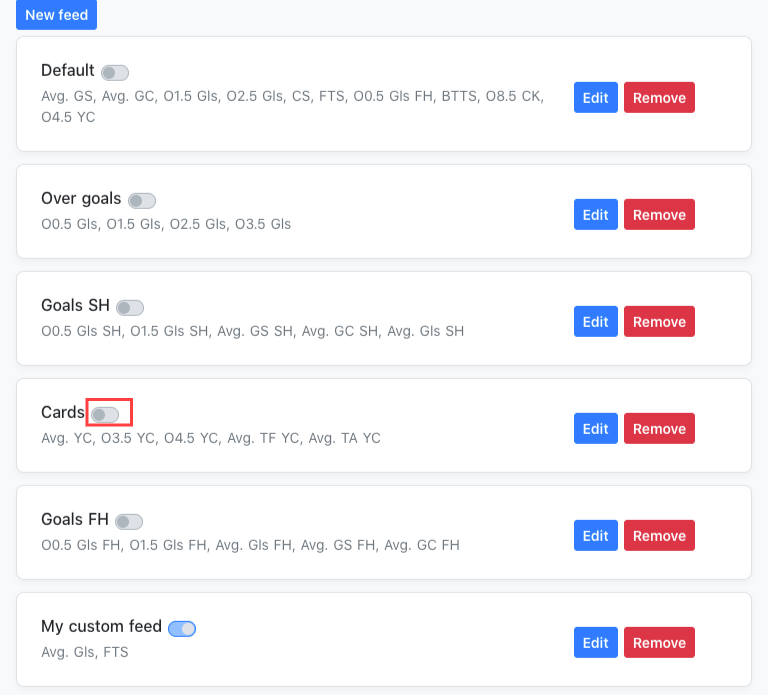
To update your default feed, go to the Feeds section (in the app: tap More → Feeds from the bottom menu).
To set a feed as default, tap the checkbox next to its name.
The default feed will have a blue checkbox, while the others will show a gray checkbox.
You can switch between feeds directly from the main page of the app.
Just tap the feed you want, and the stats will automatically update based on the selection.
